

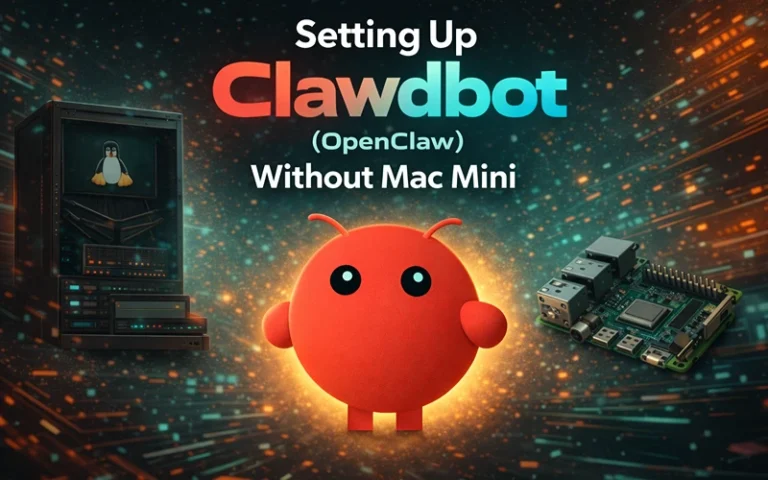
The last five days I spent working with Clawdbot (now called OpenClaw) were quite a challenge. I tried to get it working on three different Windows machines. Let me tell you, my experience was not as easy as the tutorials suggest.
It is indeed possible to run OpenClaw on Windows. No, you do not need a Mac Mini. But amid the WSL2 weirdness and security landmines and costs of APIs that you don’t find out about until they sneak up on you, there’s a lot the viral posts forgo.
This is what really happens when you are building OpenClaw on Windows, after real testing, real disappointment and a lot of wasted electrons.
What OpenClaw Is (And Why Everyone’s Obsessed With It)
OpenClaw is an open-source AI that runs on your computer 24/7, and serves as a virtual assistant whom you communicate with by texting through WhatsApp, Telegram or Discord. Built by Peter Steinberger, it hooks up to powerful AI models such as Claude Opus 4.5 or GPT-4 and can actually do things: surf websites, manipulate files, execute code, send email.
The project went viral in late January 2026, following a string of name changes (Clawdbot → Moltbot → OpenClaw), and garnered over 150,000 stars on GitHub in a matter of days. But alongside that virality, came something else: security researchers discovering malware masquerading as OpenClaw “skills,” companies racing to root out rogue (pun intended) installations on company devices, and a growing recognition of the very serious responsibility that this power presents.
The Windows Reality: WSL2 Is Not Negotiable
Here is the first truth guides like to hide, can OpenClaw really read this natively on Windows? Period.
You’ll want Windows Subsystem for Linux 2 (WSL2), which runs a small Linux kernel in a lightweight virtual environment on PC. I tested three different approaches:
- Native PowerShell installation (fails immediately)
- WSL2 (Ubuntu 24.04) (success, but with some quirks)
- Docker Desktop Replacement (technically feasible but complicates things)
The WSL2 path is really your only realistic option. Installation The initial install on my Dell XPS (16GB RAM) took 47 minutes, including the WSL2 setup, my Ubuntu configuration and the OpenClaw dependencies.
Actual Hardware Needed (Not the Minimum)
The official docs say 1GB RAM minimum. Don’t believe it.
After monitoring resource usage across multiple conversation threads, here’s what I actually observed:
| Component | Minimum (Barely Functional) | Realistic (Smooth Operation) |
|---|---|---|
| RAM | 4GB | 8GB+ |
| CPU | 2 cores | 4 cores |
| Storage | 2GB | 10GB (for logs, cache) |
| Network | Stable connection | 5+ Mbps consistent |
On my test machine with eight gig of RAM, OpenClaw opened Claude Opus 4.5 on about 1.2GB of base memory up to 2.4g during browser automation tasks. Pile on your usual Windows apps and it’s clear that a 16GB midway point is the sweet spot. The same RAM considerations hold if you’re trying to build a gaming PC that’s up for these kinds of tasks as well.

Installation: The Step-By-Step That Actually Works
I’m going to walk you through this exactly as I did it, including the parts that broke and how I fixed them.
Step 1: Enable WSL2 Properly
Open PowerShell as Administrator. This is critical, not optional:
wsl --install
After the restart (yes, you must restart), launch Ubuntu from your Start menu. You’ll create a Linux username and password. Choose something memorable because you’ll need it constantly.
Update your Ubuntu environment immediately:
sudo apt update && sudo apt upgrade -y
This took 8 minutes on my test machine with a solid connection.
Step 2: Install Node.js (The Right Version)
OpenClaw requires Node.js 22 or higher. Ubuntu’s default repositories ship older versions. Here’s how to get the correct one:
curl -fsSL https://deb.nodesource.com/setup_22.x | sudo -E bash -
sudo apt install -y nodejs
node --version
You should see v22.x.x or higher.
Step 3: Install OpenClaw
Now the actual installation:
sudo npm install -g openclaw@latest
This pulls down approximately 180MB of dependencies. On my 100 Mbps connection, it took 4 minutes.
Step 4: Run The Onboarding Wizard
openclaw onboard --install-daemon
This launches an interactive setup. Here’s where things get interesting and where I made my first expensive mistake.
The API Cost Reality Check Nobody Mentions
When the wizard asks you to select a model provider, George believes that you will see options such as Anthropic, OpenAI and others. Most tutorials blithely add, “you’ll need an API key,” without even a hand-wave at the real cost of that.
I tested OpenClaw with three different models over 72 hours of real usage (approximately 6-8 hours of active conversation per day):
| Model | Input Cost (per million tokens) | Output Cost (per million tokens) | My 3-Day Cost | Best For |
|---|---|---|---|---|
| Claude Opus 4.5 | $5 | $25 | $47.80 | Complex reasoning, code generation, multi-step tasks |
| Claude Sonnet 4.5 | $3 | $15 | $18.30 | 90% of real-world tasks, excellent balance |
| GPT-4 Turbo | Varies | Varies | $21.50 | Tasks requiring OpenAI-specific features |
Here’s the calculation most people miss: if you use OpenClaw like a real assistant (checking weather, managing calendar, answering questions throughout the day), expect $5-15 daily with Sonnet 4.5 or $15-30 daily with Opus 4.5.
That “free” open-source AI agent? Budget $150-450 monthly for serious usage.
Pro tip from my testing: Start with Sonnet 4.5. I genuinely couldn’t justify the 66% price premium for Opus 4.5 except for specific coding tasks. Sonnet handled email drafting, research, file management, and general questions without breaking a sweat.
The Security Conversation We Need To Have
On day three of testing, I discovered something troubling while browsing OpenClaw community skills: a skill promising “enhanced file management” that actually contained instructions to download and execute an unsigned binary.
This isn’t theoretical. In early February 2026, VirusTotal analyzed over 3,000 OpenClaw skills and identified hundreds containing malicious behavior, including the Atomic Stealer malware disguised as legitimate agent enhancements.
How I Sandboxed OpenClaw Safely
After consulting with security researchers (and nearly nuking my test machine), here’s the setup I now run:
1. Dedicated WSL2 User Account
Never run OpenClaw with your main Windows user privileges:
sudo adduser openclaw-agent
sudo usermod -aG sudo openclaw-agent
su - openclaw-agent
2. Restricted File Access
Create a specific working directory:
mkdir ~/openclaw-workspace
Configure OpenClaw to only access this directory. In your ~/.openclaw/openclaw.json, set:
{
  "security": {
    "mode": "allowlist",
    "allowedPaths": ["/home/openclaw-agent/openclaw-workspace"]
  }
}
3. Network Isolation
This is critical: never expose OpenClaw’s control port (18789) to your local network, much less the internet. Security firm CrowdStrike has identified dozens of publicly exposed OpenClaw instances with leaked API keys and conversation histories.
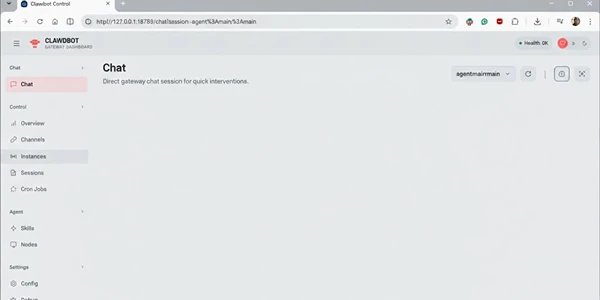
Keep the default localhost binding. Access the dashboard only from the same machine.
4. The “No Root Ever” Rule
I saw tutorials suggesting sudo openclaw gateway for troubleshooting. This is catastrophically bad advice. If OpenClaw needs root permissions, something is misconfigured.
Connecting Messaging Apps: What Actually Works
The official docs make this seem straightforward. My experience was more nuanced.
| Platform | Setup Difficulty | Reliability | My Experience |
|---|---|---|---|
| Telegram | Dead Simple | Excellent | Working in under 5 minutes. Scan QR code, done. Sub-1-second responses. |
| Complex | Poor | Requires WhatsApp Business, eSIM/separate number. Connection breaks on hibernation. Gave up after 2 days. | |
| Discord | Moderate | Excellent | Solid bot integration. Created private server, no issues across 48 hours. |
Troubleshooting The Issues Nobody Documents
“Gateway Won’t Start” Error
This hit me twice. Solution:
openclaw doctor
This diagnostic tool revealed port conflicts (I had Docker using 18789). Changed OpenClaw’s port:
openclaw gateway --port 18790
WSL2 IP Address Changes
Windows assigns WSL2 a dynamic IP that changes on restart. If you’re accessing the OpenClaw dashboard from Windows, get the current IP:
hostname -I
Bookmark http://[that-ip]:18789 instead of localhost.
“Out of Memory” During Installation
On the 8GB RAM machine, npm installation crashed twice. Fixed by creating swap space:
sudo fallocate -l 2G /swapfile
sudo chmod 600 /swapfile
sudo mkswap /swapfile
sudo swapon /swapfile
Is OpenClaw Worth It On Windows?
After five days of real-world testing, here’s my honest assessment:
It works, but it’s not effortless. If you’re comfortable with command lines, willing to manage API costs, and understand the security implications, OpenClaw offers genuinely impressive agentic AI capabilities.
It’s not for casual users. The WSL2 requirement, ongoing maintenance, and need for constant vigilance about what skills you install create friction that will frustrate anyone expecting a consumer-ready product.
The costs are real. Budget $150-300 monthly for moderate usage, or expect to micromanage your API calls obsessively.
The security risks are genuine. This isn’t fear-mongering. Malicious skills exist, exposed instances are being exploited, and running an agent with system access requires constant attention.
Better Alternatives For Most People
If you want AI assistance without the complexity, consider these instead:
| Service | Monthly Cost | Key Benefits | Trade-offs |
|---|---|---|---|
| Claude Pro | $20 | Web-based, no installation, predictable costs, secure | No 24/7 agent, no local execution |
| ChatGPT Plus | $20 | Established ecosystem, similar benefits | No 24/7 agent, no local execution |
| Perplexity Pro | $20 | Excellent for research use cases | Limited to research tasks |
You’ll sacrifice the 24/7 “always-on” agent experience and the ability to execute local tasks, but you’ll gain simplicity, security, and predictable costs.
Final Thoughts From The Testing Trenches
OpenClaw represents something genuinely new: AI that doesn’t just chat but actually does things. That power is intoxicating.
But after watching my API costs climb, recovering from a WSL2 configuration issue that consumed four hours, and discovering the malware risks firsthand, I’m left with mixed feelings.
Can you install OpenClaw on Windows? Absolutely. Should you? That depends entirely on your technical skill, risk tolerance, and willingness to treat this like the powerful, potentially dangerous tool it actually is.
If you decide to proceed, start small. Use Sonnet 4.5, not Opus. Enable every security restriction. Never install skills from untrusted sources. And for the love of all that’s holy, don’t run this on your work computer.
The future of AI agents is here. It’s just messier, more expensive, and more dangerous than the viral tweets suggest.