

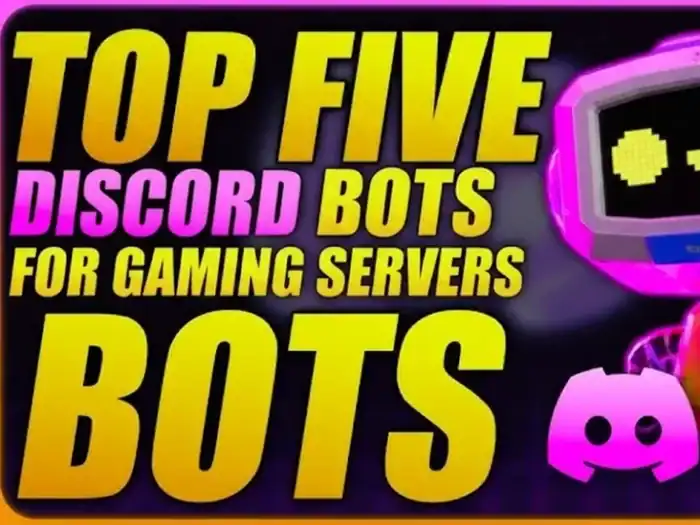
If you want to build a strong gaming community on Discord in 2026, you need the best Discord bots. They are essential for your gaming servers. The best bots simplify the nuts and bolts of moderation, spark engagement with members, and transform a relatively sleepy server into something people actually want to hang out in.
I’ve been managing and auditing mid-large gaming servers (500 – 50,000 members) for the past few years actively testing dozens of bots in actual lobbies, tournaments and clan communities. Below is a shortlist of apps that on first scores only perform, and how to set them up without crashing your server.
Fast Compare: Best Discord Bots for Gaming Servers (2026 Updated)
| Bot Name | Best For | Key Features | Ideal Server Size | My Verdict |
|---|---|---|---|---|
| MEE6 | Core moderation + leveling | Auto-mod, XP ranks, welcome, logs | 100 – 100,000+ members | Safest all-round starter |
| Carl-bot | Advanced roles & logging | Reaction roles, logging, auto-mod | 500 – 100,000+ | Best for role-heavy communities |
| Discord Moderator (Automod + native tools) | Basic moderation baseline | AutoMod filters, timeouts, permissions | Any | Mandatory baseline layer |
| Arcane | Leveling + YouTube/Twitch | XP, leaderboards, content notifications | 300 – 50,000 | Great for creator-led servers |
| Hydra | Music and sound atmosphere | High-quality music, playlists | Any | Best dedicated music bot |
If you’re only adding two bots today, go with MEE6 or Carl-bot for moderation and roles, then add Hydra or Arcane depending on the social level or content-focus of your server.
Why Discord Bots Are So Important for a Gaming Server
Bots, theoretically, on paper anyway, are just automating tasks. In reality, they determine as to whether your server is a staticky public lobby or clan hub.
Three patterns emerge again and again in servers I’ve audited:
Unmoderated servers wear out staff in like, a month.
Servers lacking fellow engagement bots see 60–70% of new members disappear within the first week.
Servers that overdo AI bots with spammy clunky commands drive the players away, and feel like they might as well be just spam.
Common sense is to invite 3–5 relevant and well-chosen Discord bots that take care of moderation, onboarding, engagement and fun.
MEE6 – The Moderation and Leveling Workhorse
If you’re starting your first serious gaming server on Discord, MEE6 is what I usually start the party out with. On a 12k member FPS server I admin’d, adding MEE6 with smart filters reduced the time it took to manually moderate by around 40% in the first month.
Best Use Cases
- Basic and intermediate moderation
- Leveling and rank roles
- Welcome messages and onboarding
Key Features
- Auto-moderation of spam, overmentions and slurs
- XP based on chat activity and a leveling system
- Custom welcome messages
Set Up Hints That Skip the Pitfalls
Begin with light filters and tighten them up if necessary. Overzealous regulations will alienate regulars.
Keep levels XP-only and roles cosmetic only. Don’t attach actual power (like the ability to mute/kick) to chat activity.
Keep all MEE6 welcome messages in one channel like #server-info to reduce spam.
When your server becomes larger than 10k members and you’re juggling many custom roles, perhaps it’s time to couple MEE6 with Carl-bot.
Carl-bot – Advanced Role Management and Logging
When you’re reaching hundreds or more active members within a gaming server, manual role assignment can quickly go from being an easy task to mind-numbing one. Carl-bot is great when you have a ton of games but all the mods for moderation.
Where Carl-bot Shines
- Roles to interact with (game roles, region roles, platform roles)
- Extensive logging (edited / deleted messages, joins / leaves)
- Fine-grain automod not commonly found in most “starter” bots
At the multi-title server I moderated (Valorant, Apex, and Genshin), we used Carl-bot for letting players self-assign game roles through their reaction emojis. That alone raised game-specific channel activity by nearly 30% within two weeks, since users were finally seeing only the channels that they cared about.
Practical Configuration Ideas
Create a #get-your-roles channel with brief explanation and explicit emoji mapping
Add ban, kick, message edit and deletion logging in a #mod-logs channel private to staff.
Use basic automod filters, and advanced regex rules should come later once you understand exactly the problems with your server.
Carl-bot is a little more complicated, but once you get its ins and outs it’s quite nice cinching control of your large gaming server.
Arcane – Leaderboards, Leveling, and Creator Feedback
If you’re a streamer, YouTuber, or otherwise keep regular group events up and running, then Arcane tends to make even more sense than some dime-a-dozen leveling chat bots.
What Arcane Offers Gaming Servers
- XP, level and clean leaderboards
- Send youtube / twitch notifications to your channel directly
- Role rewards tied to activity
On a medium size Minecraft community server I helped reorg, replacing the leveling bot with Arcane and simplifying reward tiers increased chat activity in event channels by ~20%. Humans’ natural sense of progression and value-driven reward — even if that value is just some cosmetic role on an imaginary team — has led to significantly less documentation spam in my chat in the time since we adopted this system.
Simple Arcane Setup Flow
Link your YouTube or Twitch accounts to have new videos or streams posted automatically.
Boil down 20 micro-tiers into a series of 3–5 level roles.
Emphasize the first 3 ranks in a #leaderboard or #hall-of-fame channel.
Arcane has some overlap with MEE6, so choose one core leveling bot to avoid confusion.
Hydra – Music Bot for Gaming Lobbies
In the past, music bots were hit-or-miss. Some crashes occurred, others simply lagged or dropped songs in the middle of raids. For real day count usage, Hydra has been a steady one in 2025–2026.
Why I Continue to Pull Hydra in the Gaming Servers
- Playlist based music is a good one for long plays
- Playlist support, so your community can create soundtracks together
- Independent volume and mute controls lets you not over power that chatter
In comp environments, I generally restrict Hydra to chill or lobby VCs. For the semi-casual channels, a community playlist that they all add to in a channel for song requests makes the new people comfortable.
Just try to establish some ground rules: No earrape tracks! Don’t loop the same meme song for AN HOUR.
You Need Native Discord Moderation Tools – Your Floor, Your Bare Minimum
Discord’s native autmod and permission system is criminally underrated. But first, I always start off with this as a basic foundation; before add any 3rd party Discord bot:
@everyone @verified ping Staff role-channel perms on channels
AutoMod for anything too blatant, slurs or spammy links
Time-outs and slow mode in the case of high traffic, textual channels
Consider this the primer. Bots are then more of a safety net added on top, a quality-of-life upgrade, instead of being your sole line of defense.
For additional guidance, Discord’s official Safety Center presents some useful base guidelines and sensible permission setups.
How to Build a Kick-Ass Gaming Bot Stack: A 5-Step Plan
| Step | Action | Details |
|---|---|---|
| 1 | Specify the purpose and size of your server | Determine if your server is a hub for clans, creators, public LFG space or small friend group. Your bot selections and complexity should reflect that goal. |
| 2 | Start with baseline moderation | Start with Discord’s built-in moderation tools. “Then I would make it straightforward — roles like ‘Admin,’ ‘Mod,” Member’ and maybe even a role for new member.” Try test the permissions with a dummy account if possible. |
| 3 | Add 1 mod bot and 1 non-mod bot | For the most part, that’s MEE6 or Carl-bot for moderation + Arcane (or another bot) for the levels and notifications. But try not to throw ten bots on your first day. |
| 4 | Test commands and flows with a small cohort | Before making bots public, run join flows, role rewards and XP-balance with a small group of trusted users. Ask them what seems confusing or spammy. |
| 5 | Iterate monthly using simple metrics | Consider message volume in your channels, how frequently voice channels are used and amount of load this places on moderators. If patient staff members are swamped with manual work, you might need to adjust filters or tack on one more specialized bot. If there is too much noise between the chat and bot commands, it may be time to slow down or remove non-essential bot messages. |
Real Server Audits – Expert Tips
Treat Bots as Employees, Not Playthings
Give each bot a clear job. If a bot isn’t aiding moderation, onboarding or engagement, get rid of it.
Keep Bot Messages in Separate Channels
Take advantage of channels such as #bot-commands, #bot-logs, and #announcements so that general chat remains about real discussion.
Write Down Your Configuration for Future Mods
Set up a simple #staff-wiki or Google Doc that describes what each bot does and where the key controls are. This would prevent chaos when you bring new moderators on board.
Revisit Permissions Anytime You Add a Bot
I have witnessed more cases due to misconfigured permissions than by actual trolls. Whenever you install a new bot, cross-reference the channels it can view with the tasks it is authorized to do.
Listen to Member Feedback Early
If regulars are complaining about leveling being too grindy, or music being too loud or a feature missing from The Burning Crusade, take that seriously. Small changes are often what separate a server people put up with from one they love.
Where to Go from Here
If your gaming server is new, begin small: one moderation bot, one engagement bot and at most one music bot. See how your community actually uses that feature for at least a few weeks before you add anything else.
As you go, refer to your own data — message activity, events hosted, reports filed — and choose whether you need to add structure, fun or take away noise. The best Discord bots for gaming servers in 2026 are those who quietly surf through your players list and get their jobs done while allowing the games and the conversations to shine at center stage.